Moderating posts and comments
Last updated March 23, 2022
Please note that this feature is only available on the Enterprise plan.
For each feedback board, you can opt-in to force all new posts and comments from users to require moderation from a workspace admin. To enable post and comment moderation, toggle on Moderate new posts and comments from the create or edit board pop-up.
After enabling moderation, any new posts and comments made by non-admins will need your approval before being visible to non-admins (the user who posted can still see their content).
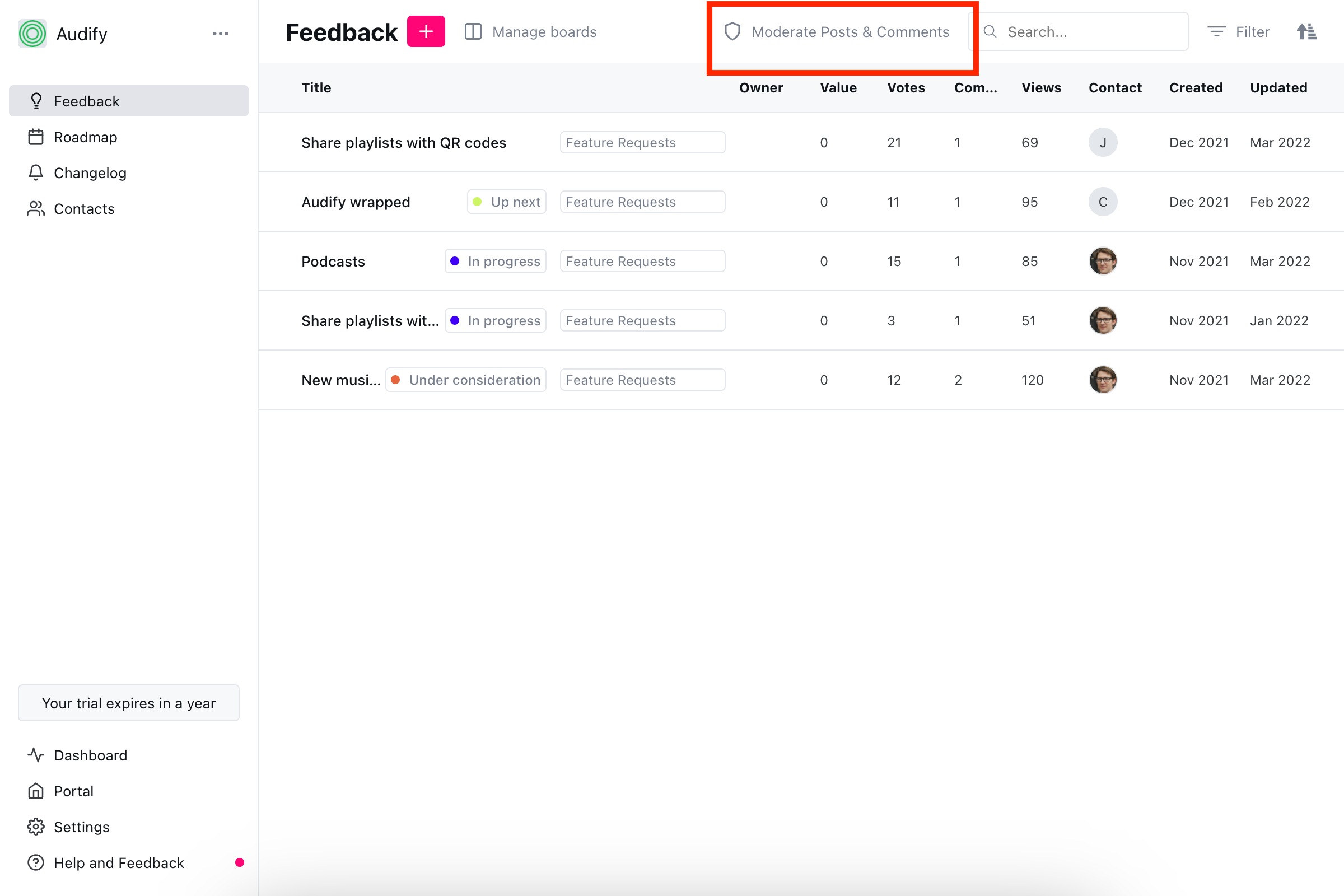
You can access a list of all posts requiring moderation from Admin > Feedback. And clicking on "Moderate Posts & Comments" on the navigation bar.
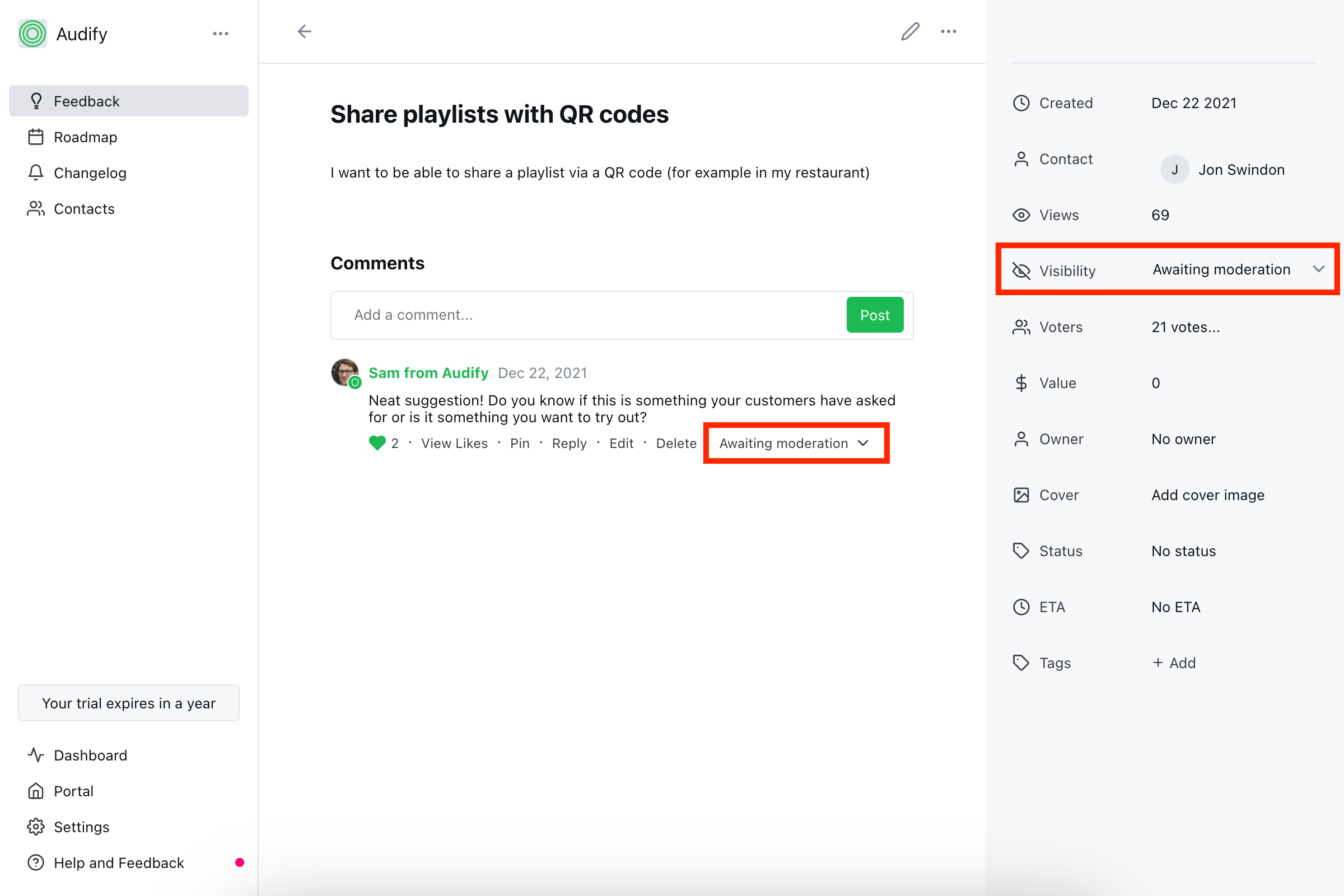
You can change the moderation status of a post or comment from the admin post view: